Instagram Carousel Sizing: The Best Dimensions for Clean, Scroll-Stopping Posts

If you’ve ever uploaded a carousel and thought, Why does this look weird once it’s posted? Don't worry, you’re not alone. Choosing the right Instagram carousel size can be confusing, especially since Instagram allows you to choose from multiple formats and ratios.
That’s why we put together this one stop cheat sheet for understanding Instagram carousel dimensions. Once you know what best practices to follow, you can create clean, professional-looking carousel posts that boost engagement with consistency.
Why Instagram Carousel Size Matters
An Instagram carousel is made up of multiple images, and every slide in that carousel shares the same size and aspect ratio. If one image is off, the whole carousel can feel cropped, squished, or inconsistent.
Using the correct Instagram carousel image size helps:
- Keep text readable
- Avoid awkward cropping
- Make your content look polished
- Create a smoother swipe experience
For business owners and entrepreneurs, clean visuals = credibility.
Recommended Instagram Carousel Sizes
Instagram gives you a few options when it comes to Instagram carousel post size, but these are the most commonly used (and safest) dimensions.
Square Carousel (Most Popular)
- Dimensions: 1080 × 1080 pixels
- Aspect ratio: 1:1
This is the classic and most reliable carousel Instagram size. It works well for text-based slides, graphics, and mixed content—and it displays consistently across the feed.
If you’re new to carousels, this is the easiest place to start.
Portrait Carousel (Best for Engagement)
- Dimensions: 1080 × 1350 pixels
- Aspect ratio: 4:5
Portrait carousels take up more vertical space on the screen, which can help stop the scroll. This Instagram carousel aspect ratio is great for educational content and storytelling.
Just make sure all slides are designed at the exact same size—Instagram won’t let you mix formats within one carousel.
Landscape Carousel (Use with Caution)
- Dimensions: 1080 × 566 pixels
- Aspect ratio: 1.91:1
Landscape Instagram carousel post dimensions are allowed, but they’re less common and offer less space for text. They work best for photos rather than educational or text-heavy slides.
Instagram’s Rules for Carousel Sizes
Before you design your next carousel, keep these key rules of the platform in mind:
- All slides must use the same dimensions
- You cannot mix square and portrait images in one carousel
- Instagram will crop images that don’t match the selected aspect ratio
- What you upload is exactly how it will appear—no resizing after posting
Choosing the right Instagram carousel size from the start saves time and frustration later.
What Size Is Best for Business Owners?
For most independent business owners and service providers, these are your best options:
- Text-heavy or educational posts: 1080 × 1080 or 1080 × 1350
- Simple visuals or branding slides: 1080 × 1080
- Photo-focused content: Any size, but stay consistent
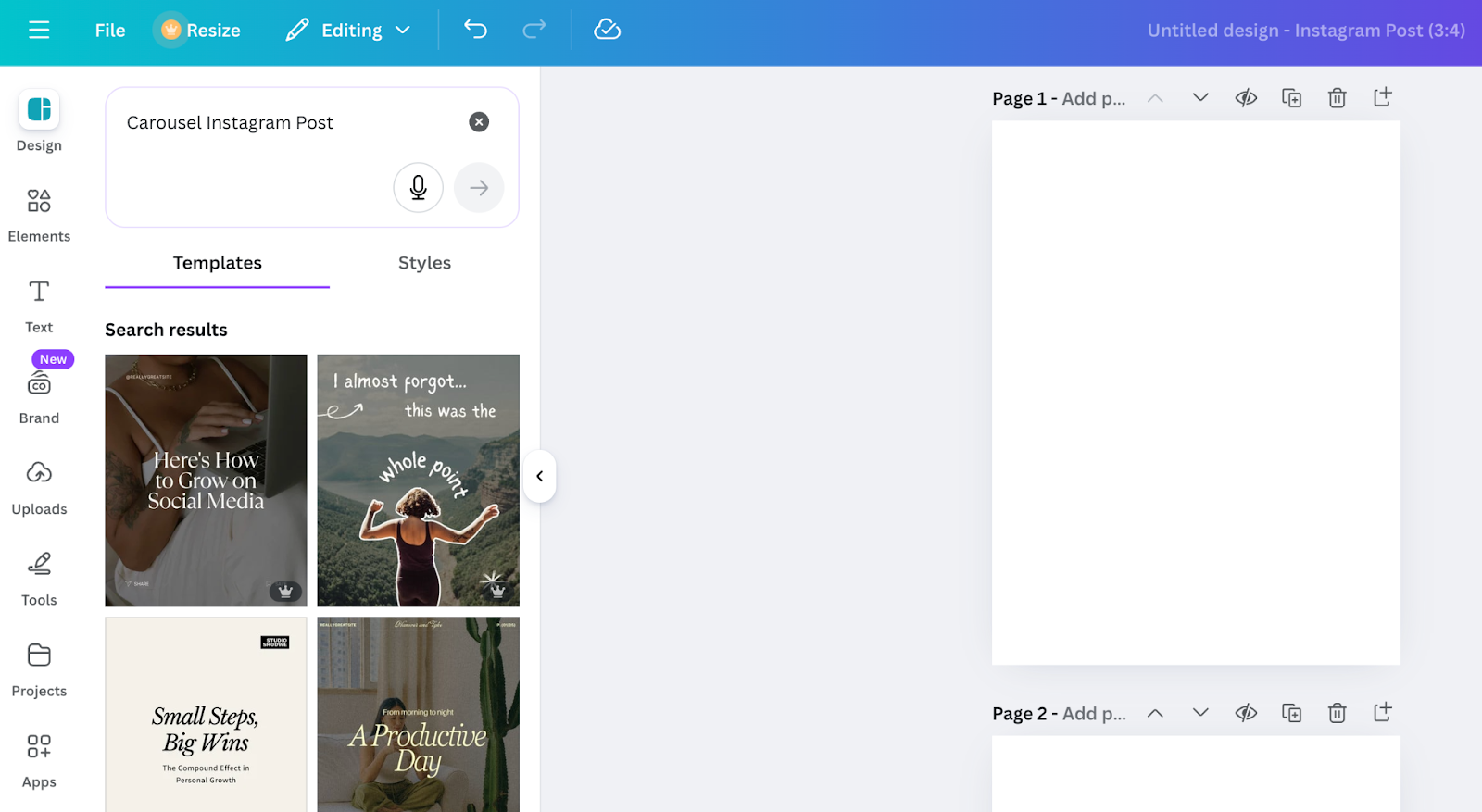
If you’re using templates (like in Canva), double-check that your Instagram carousel post size matches before exporting.
To find pre-sized templates on Canva, click here:
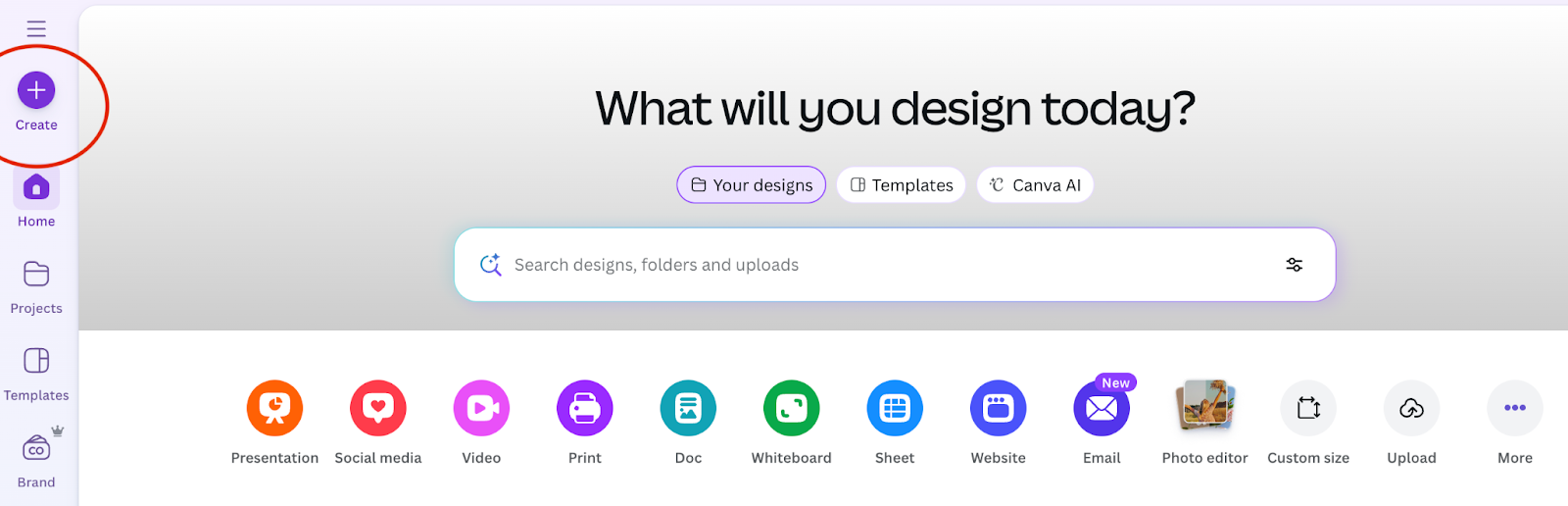
Then search, here:
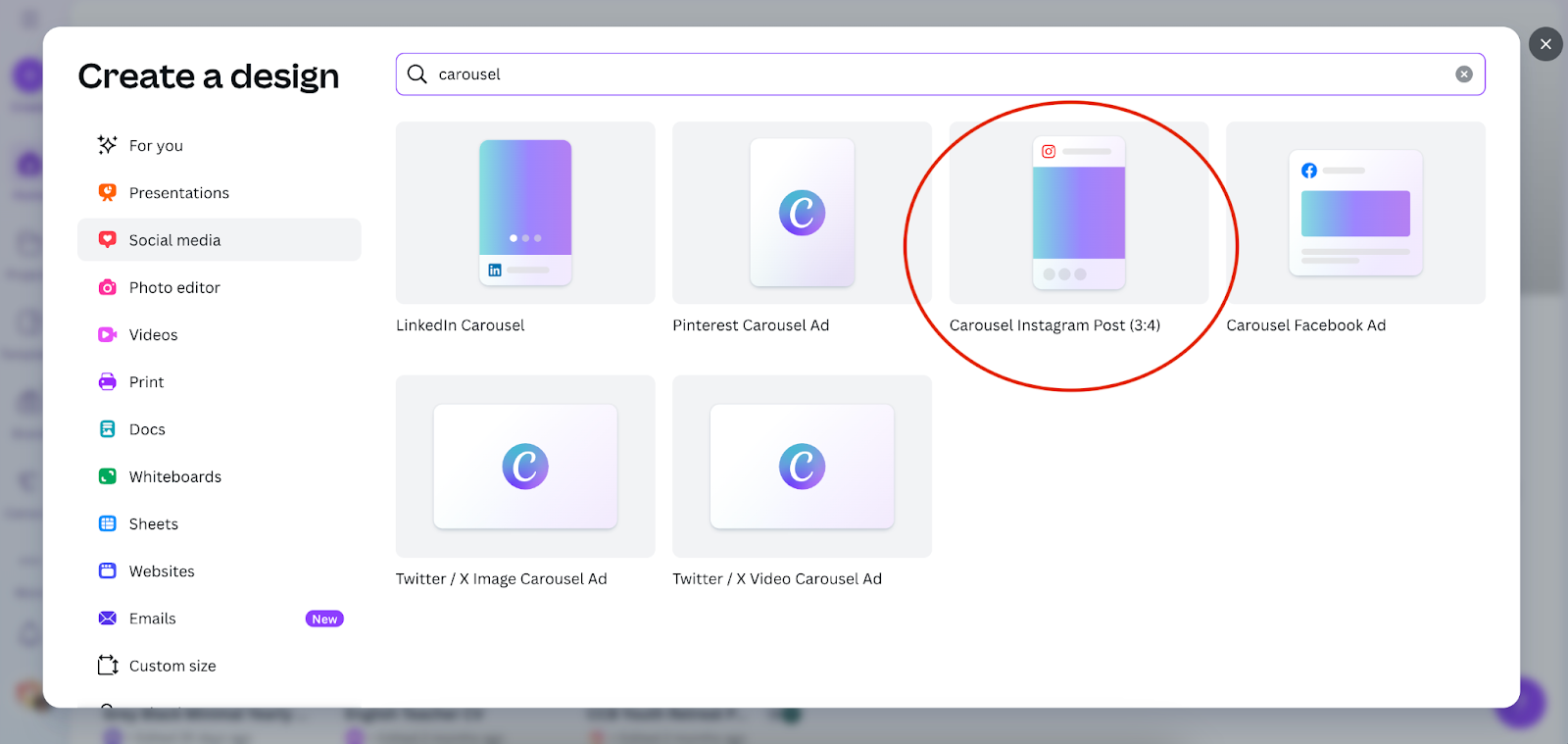
And once you’ve created your project, search templates to get started on the left-hand side:
You’ve Got This!
Getting the right Instagram carousel dimensions doesn’t have to be complicated. Pick one format, stick with it, and design all slides consistently.
If you’re just getting started, square or portrait carousels are your safest bet. Once you’re comfortable, you can experiment a little bit more. For now though, working with the standard Instagram carousel image size recommendations will instantly make your content look more confident and credible.
Simple, clean, and brand-consistent carousel posts will always win.